


CS2 Skin Inspect Servers: Benefits of Using and More
Counter-Strike 2 has lots of skins, and you’re unlikely to have all of them in your collection. Moreover, some individual skins you like may be extremely rare and expensive. It’s not a problem for CS2 Skin Inspect Servers! Any weapon finish can be taken to matches here, and you are not limited to any number of skins you want to play with.
Sure, it’s not the official matchmaking, and you need to understand this. Everyone on the servers knows that no one here owns the skin they play with. It’s a tool for fun playing sessions. Also, it’s an effective way to check out CS2 skins before purchasing them for your inventory.
We explain everything you need to know about CS2 Skin Inspect Servers in this article on DMarket Blog.
What is a CS2 Skin Inspect Server?
Custom servers in Counter-Strike that allow players to use skins outside of their real inventory are called CS2 Skin Inspect Servers.
After connecting to one, you can use console commands to activate different skins, take them, and then enjoy their look in the hands of your character model.
Special websites offer straightforward services for generating skin codes. They often have CS2 Skin Inspect Servers as well.
How CS2 Skin Inspect Servers Work
On a CS2 Skin Inspect Server, you enter a fully-functional Counter-Strike 2 environment: maps with proper in-game lighting and physics.
First, you need to enter a CS2 Skin Inspect Server.
- Launch the game.
- Open the developer console by pressing the tilde key, ~. Make sure the developer console is enabled in the CS2 game settings menu.
- Enter command connect [server IP].
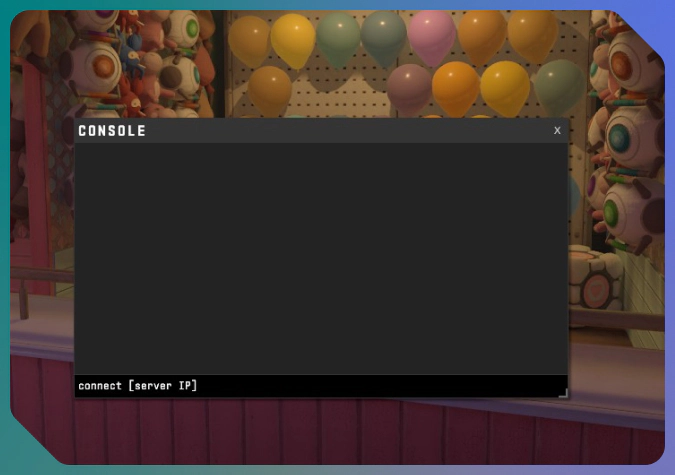
The server IP can have a numerical form, like connect 131.153.147.235, which is an Inferno Inspect Server in North America by well-known community server operator Epidemic. Also, Skin Inspect Servers in CS2 can have a format like nuke.epidemic.gg or mirage.cs2inspects.com—you can just change the map name.
⚠️ If you have difficulties connecting to a server, it may just be full, so re-try later or use another IP. To find more Skin Inspect Servers, head to CS2 and search Skin Inspect in the Community Servers menu.
Then, you will need a skin code to actually get it. You can generate one for any item from the vast Counter-Strike 2 collection of skins.
- Visit CS2Inspects.com.
- Use the available tools to set the skin you want to inspect and its condition.
- Copy the skin code: it has the form of !g [numbers].
To enjoy more than the game’s visuals, you may need to optimize your CS2 audio settings. This is helpful for your match results!
Benefits of Using Inspect Servers
There are a few advantages of inspecting CS2 skins on special servers.
- You can play a custom CS2 game with any skin.
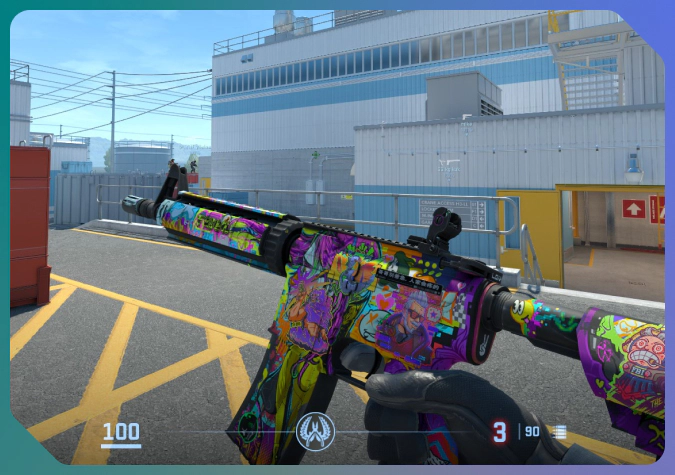
- A skin you are interested in reveals its true appearance with the real in-game lighting.
- It is possible to feel CS2 skins in action before purchasing them.
- Any combination of stickers and CS2 charms is possible.
- After selecting a CS2 skin Float Value, you will see the exact skins with this exterior. Is Factory New worth the additional expense? How bad are dark areas on a Battle-Scarred skin?
- Skin Inspect Servers allow you to verify rare patterns. You need to see how a specific seed looks before spending big sums or even hunting for it on the marketplaces.
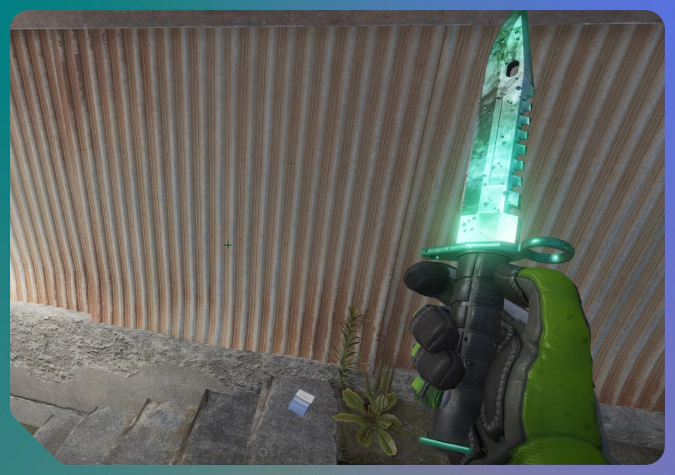
Weapon finishes made a great impact after their addition to Counter-Strike. Take a look at the evolution of CS2 skins with our article.
How to Set a Skin Inspect Server
Instead of using public community servers, you can set your own CS2 Skin Inspect Server: on a personal computer, or on a rented virtual server. The process is more complicated than connecting to an existing one, and you need to be technically savvy for this.
- Download and run the official CS2 dedicated server files from SteamCMD.
- Download and install the CounterStrikeSharp framework from the official GitHub page.
- Download and install a skin plugin, such as WeaponPaints.
If you want to inspect skins in your private game, you can do it in the Practice mode without a server. You still need the CounterStrikeSharp framework and a skin plugin installed locally. Those you choose to use should give you detailed instructions.
- Launch Counter-Strike and enter a Practice match.
- Enable cheats with the command sv_cheats 1.
- Add the following cheat commands: mp_buy_anywhere 1, to buy weapons anywhere on the map, and sv_infinite_ammo 1, to have limitless ammo.
- Copy !g codes and inspect the selected CS2 skins on your local server.
Even if you do not plan to run custom servers, some technical knowledge about CS2 may help you improve your game performance. Take a look at our guide on the interp settings.
Summary
CS2 Skin Inspect Servers are valuable tools for traders. Weapon finishes look different in the game than on a marketplace screen.
The inspection services can also help you experiment with stickers or glove combos. Any skin in any condition can be checked out on these servers, which is useful for seeing different patterns and Float Values.
FAQ
Are CS2 inspect servers safe?
Yes, they allow you to inspect skins and do not have access to your inventory or sensitive info.
Always be vigilant, though. Make sure you follow our anti-scam recommendations.
Can I check Float Values and patterns on these servers?
It’s easy to check Float Values and specific patterns on Skin Inspect Servers in CS2. When generating a !g code, set the needed parameters. The skin will have the selected exterior.
Do inspect servers cost money to use?
No, good and popular CS2 Skin Inspect Servers are free to use.
Can I try knives and gloves on inspect servers?
Yes, any weapon skin and item can be used on inspect servers, including knives and gloves.
Trade on the go - install the mobile app of DMarket from Google Play or App Store. Never miss great prices and unique skins. The best CS2, Dota 2, Rust and TF2 marketplace is always at hand!


For more Counter-Strike 2 guides and articles about CS2 skins trading, stay tuned to DMarket Blog and follow us on Facebook and Twitter.